LangBot - Instant Messaging Bot Development Platform
LangBot integration guide — build AI-powered chatbots for Feishu, DingTalk, Telegram, Discord, and more. Supports Knowledge Base, Agent, and MCP with Nova Router.
LangBot is an open-source instant messaging bot development platform that supports various instant messaging platforms such as Feishu, DingTalk, WeChat, QQ, Telegram, Discord, Slack, etc. It integrates with mainstream global AI models, supports various AI application capabilities like Knowledge Base, Agent, MCP, and is perfectly compatible with Nova Router.
- Official Website: https://langbot.app
- Download Address: https://github.com/langbot-app/LangBot/releases
- Official Documentation: https://docs.langbot.app
- Open Source Address: https://github.com/langbot-app/LangBot
Integrating Nova Router
LangBot supports integrating with locally deployed Nova Router services and third-party compatible services.
Usage
-
Obtain an API key from Nova Router
If Nova Router is deployed locally, please configure the API address yourself (refer to Container Network Connection). If using a third-party compatible service, you can copy the address from the page. Note that
/v1needs to be appended to the address.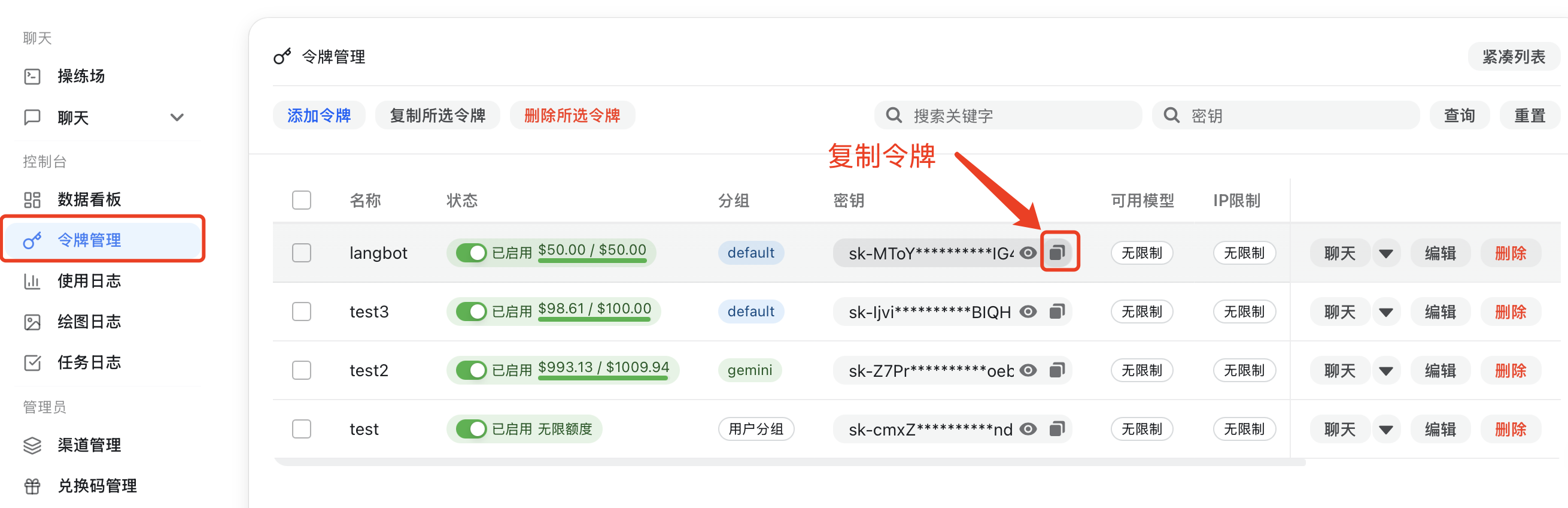
-
Add a model in LangBot, select Nova Router as the provider, and fill in the corresponding API key and API address
- Open LangBot's
Model Configuration - Create a new OpenAI-compatible model provider, or choose the provider type that matches Nova Router
- Set the provider name to something easy to recognize, such as
<BrandName /> - Fill in
API URL,API Key, andModel Nameusing the table below - Save the configuration and confirm that the new model appears in the LangBot model list
Recommended fields:
Field What to enter Provider Select the provider that maps to Nova Router API URL Enter your endpoint and make sure it ends with /v1API Key Paste the key obtained from Nova Router Model Name Use a model name exposed by your Nova Router deployment - Open LangBot's
-
Select the model to use in the pipeline
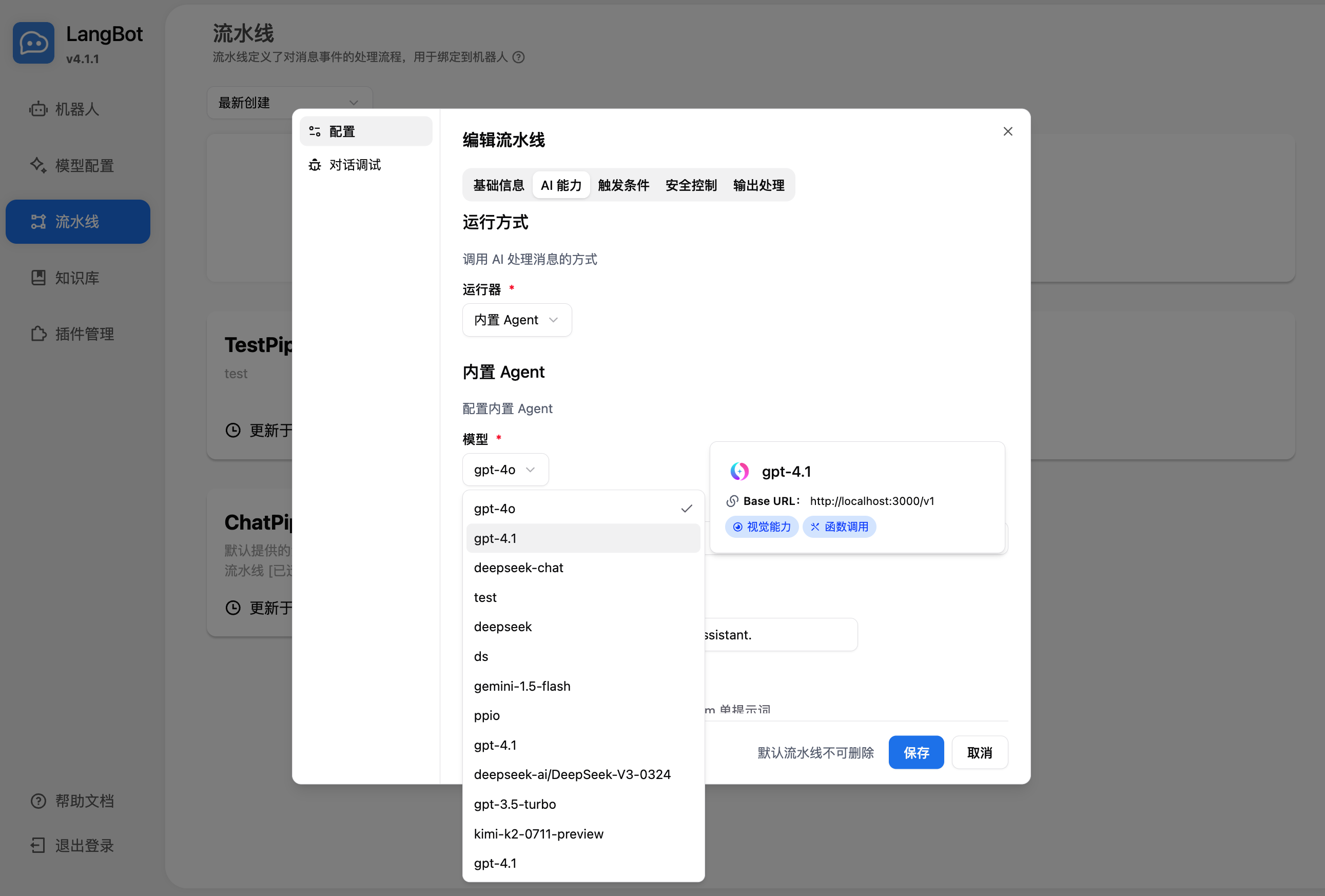
-
Use it by chatting in conversation debugging or by chatting with a bot bound to the pipeline
For deploying and configuring bots, please refer to Deploying Bots.
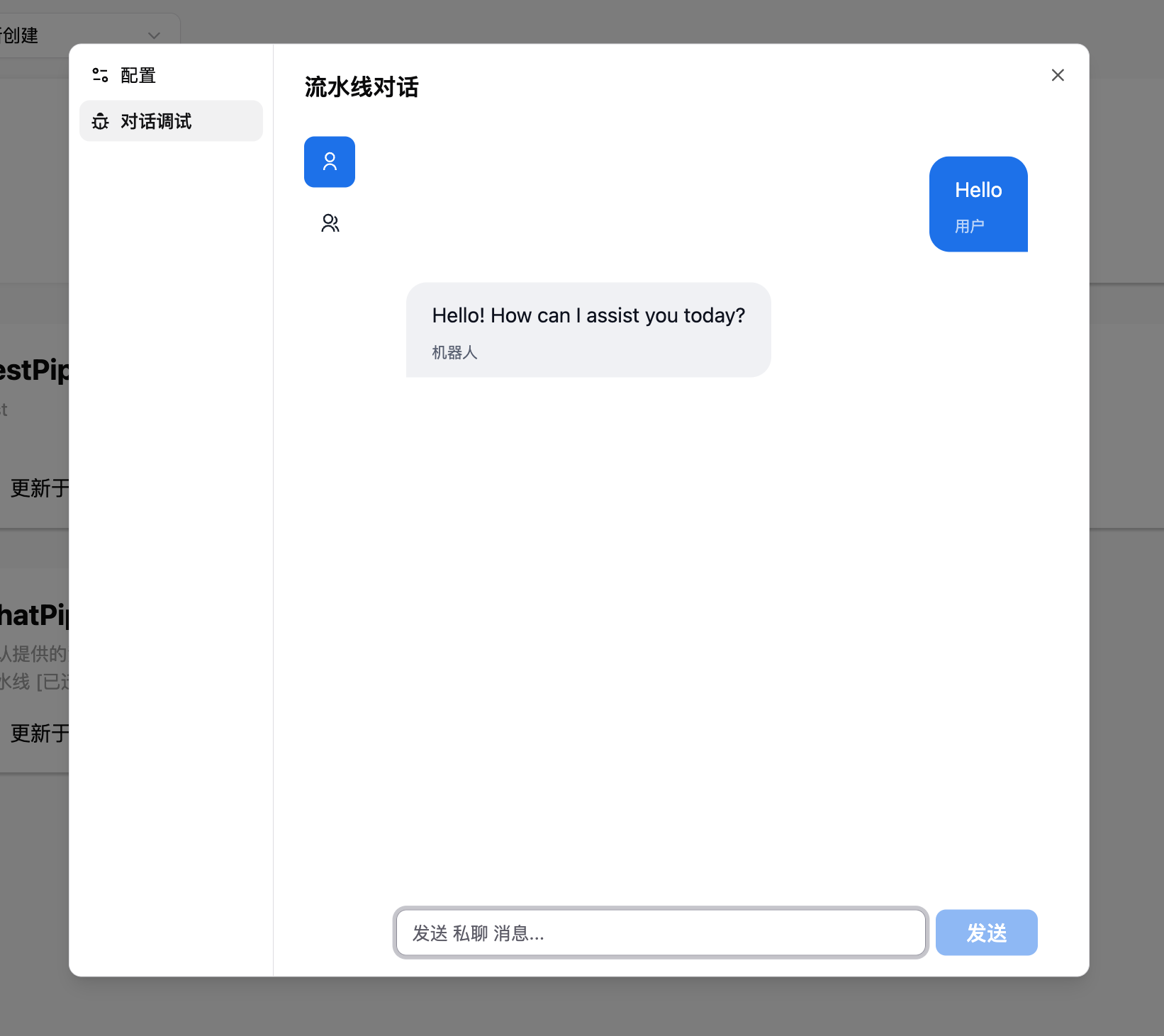
How to confirm it worked
- The newly added Nova Router model appears in the model list
- The pipeline can select that model successfully
- Debug chat or a real bot conversation returns responses normally
Using LangBot Knowledge Base
LangBot supports using Nova Router embedding models and utilizing them as vector models for the knowledge base.
-
Add an embedding model in LangBot, select Nova Router as the provider
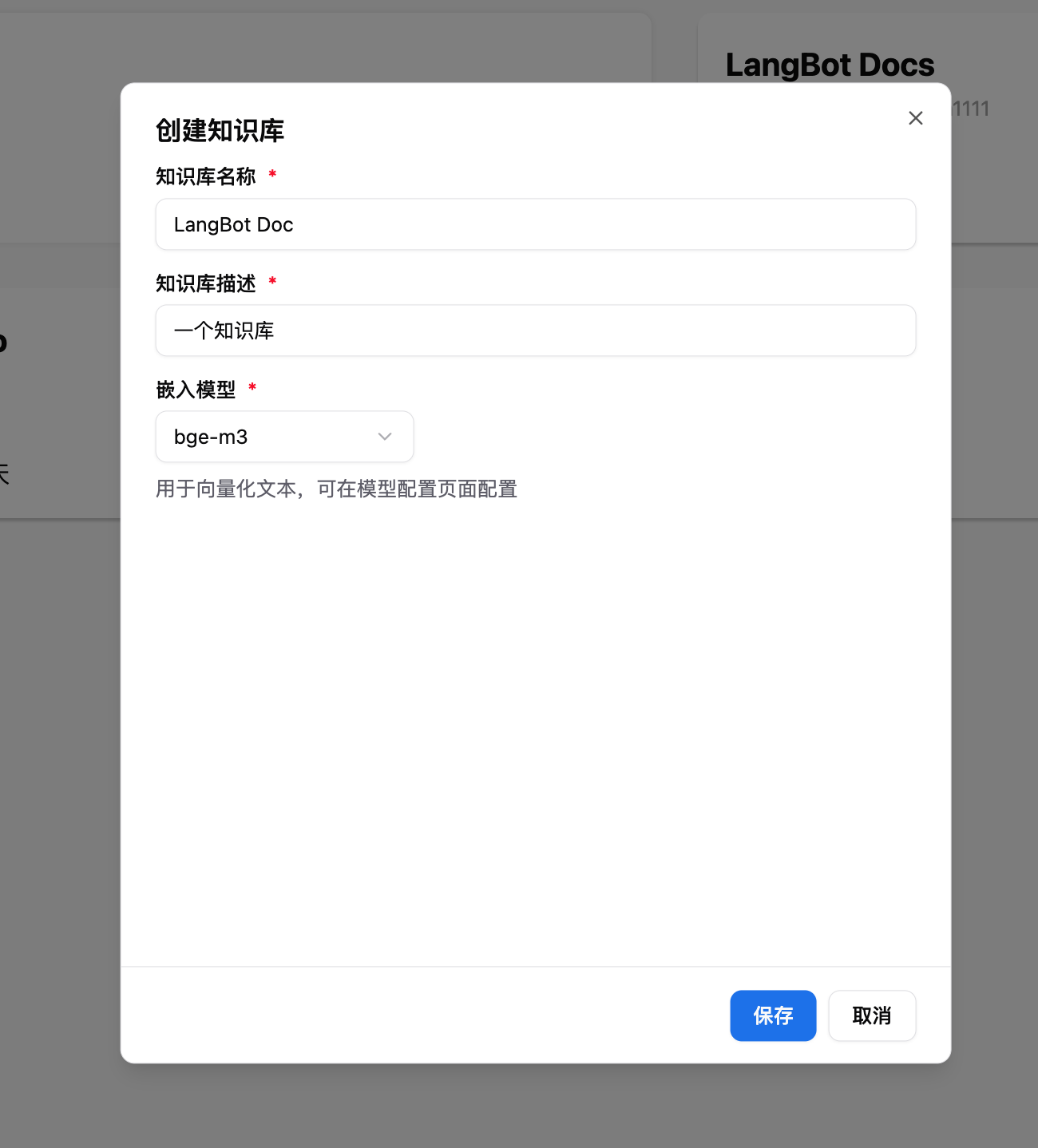
-
Select the embedding model when creating a new knowledge base
For more usage instructions, please refer to the LangBot official documentation: https://docs.langbot.app
How is this guide?
OpenClaw - Self-Hosted AI Smart Assistant Platform
OpenClaw Tutorial — Install OpenClaw, integrate with Nova Router, and quickly set up a self-hosted AI assistant. An open-source project supporting multi-channel integration like Telegram, Discord, WhatsApp.
LunaTranslator - Open-source GalGame Translator
LunaTranslator setup guide — open-source GalGame and visual novel translator with HOOK, OCR, and AI-powered translation. Integrate with Nova Router for enhanced accuracy.