Quick Start
Connect to Nova Router in five minutes, get your API key, call your first model, and connect your tools
Connect to Nova Router in five minutes: get your API key, call your first AI model, and wire it into your development tools or client applications.
Nova Router is a unified AI access gateway compatible with the OpenAI API format. With just one API key and the base URL expected by your client, you can access multiple leading models through the same interface.
1. Three Steps to Get Started in Five Minutes
Step 1 - Get Your API Key
1.1 Sign in to the Console
Open https://router.bit-tech.com.cn and enter the console.
1.2 Create a Token
Go to Token Management and create a new API token.
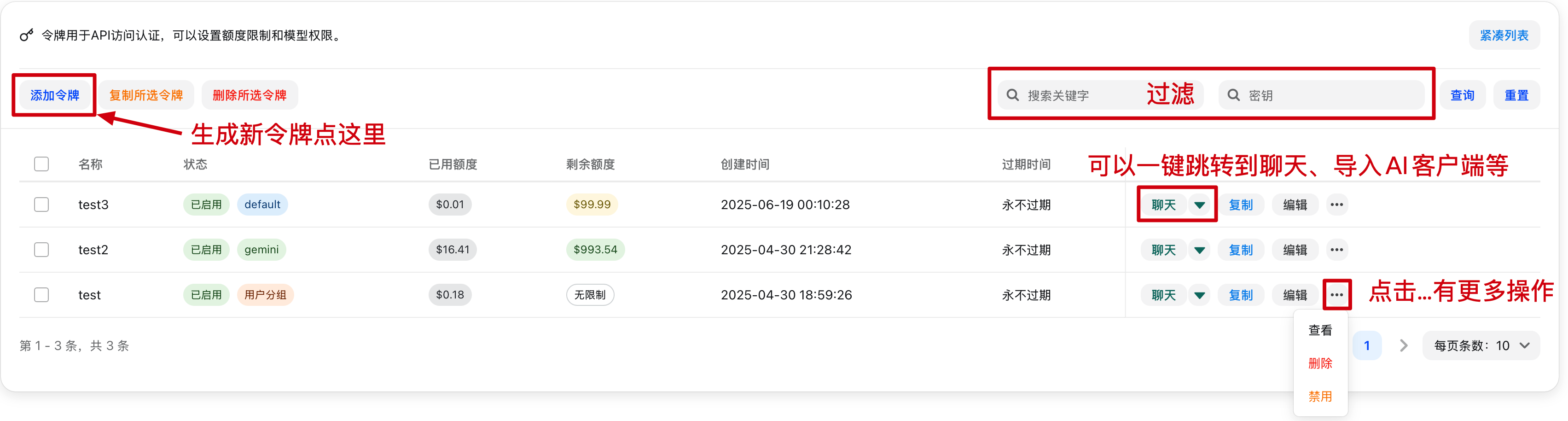
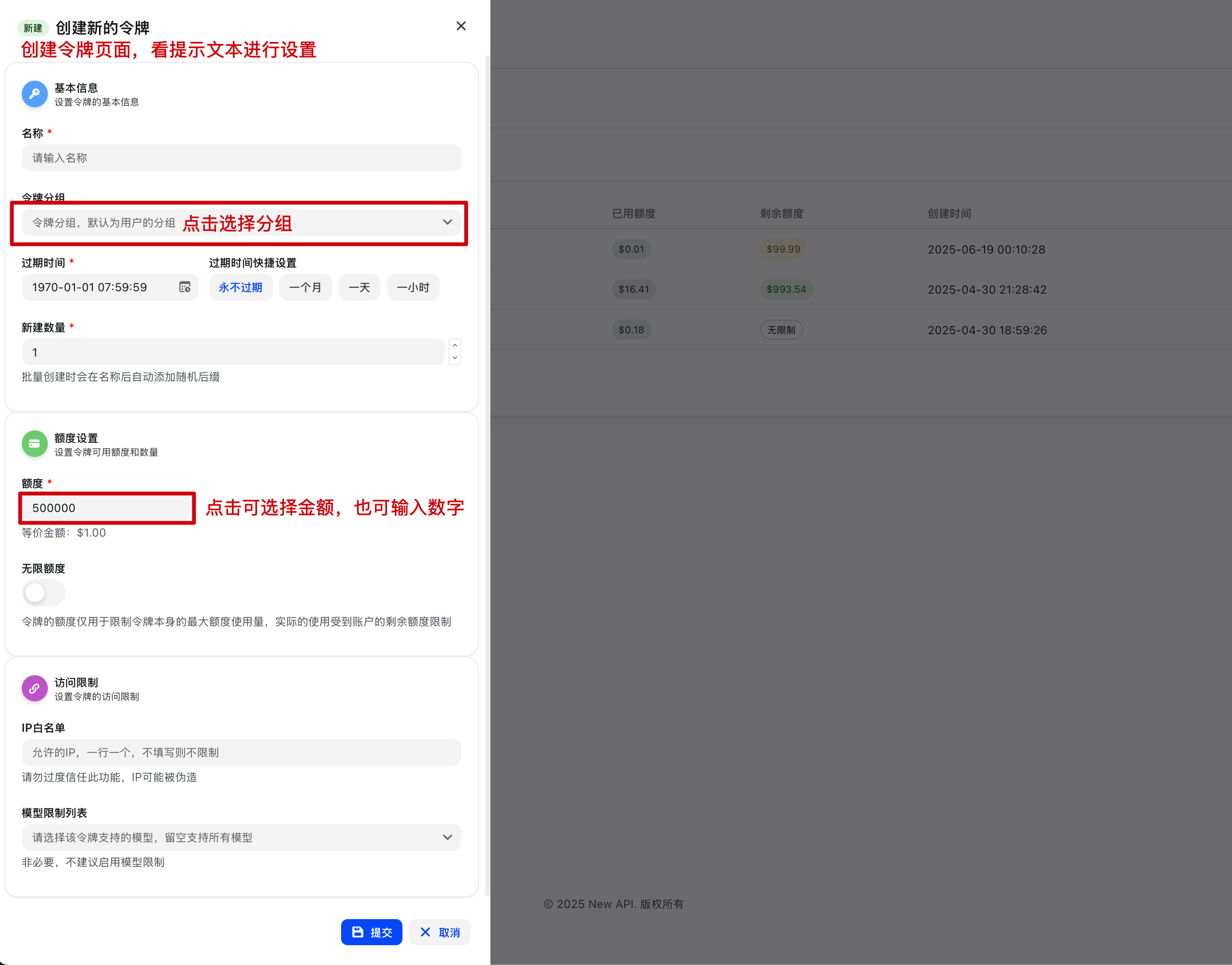
1.3 Copy the URLs and API Key
- OpenAI-compatible Base URL:
https://router.bit-tech.com.cn/v1 - Claude Code Base URL:
https://router.bit-tech.com.cn - API Key:
sk-...
Important
Save the API key immediately after creation. If you lose it, create a new token.
About Base URLs
Different clients define the base URL differently:
- OpenAI-compatible clients such as Codex CLI and Cherry Studio usually use the API endpoint with
/v1 - Claude Code usually uses the site root URL without
/v1
Step 2 - Call Your First API
2.1 Quick Check with curl
curl https://router.bit-tech.com.cn/v1/chat/completions -H "Content-Type: application/json" -H "Authorization: Bearer sk-your-api-key" -d '{ "model": "gpt-4o", "messages": [ { "role": "user", "content": "Hello, introduce yourself" } ]}'2.2 Use Python with the OpenAI SDK
from openai import OpenAIclient = OpenAI( base_url="https://router.bit-tech.com.cn/v1", api_key="sk-your-api-key",)response = client.chat.completions.create( model="gpt-4o", messages=[{"role": "user", "content": "Hello, introduce yourself"}],)print(response.choices[0].message.content)2.3 List Available Models
curl https://router.bit-tech.com.cn/v1/models -H "Authorization: Bearer sk-your-api-key"Step 3 - Connect Your Tools
Claude Code
export ANTHROPIC_BASE_URL="https://router.bit-tech.com.cn"export ANTHROPIC_API_KEY="sk-your-api-key"Codex CLI
export OPENAI_BASE_URL="https://router.bit-tech.com.cn/v1"export OPENAI_API_KEY="sk-your-api-key"Cherry Studio
- Add a provider
- Choose the OpenAI-compatible provider type
- Fill in the Base URL and API Key
- Add the model IDs you want to use
Other OpenAI-Compatible Tools
- API URL:
https://router.bit-tech.com.cn/v1 - API Key: your token
- Model name: query it from
/v1/models
2. API Capabilities at a Glance
| API Endpoint | Description |
|---|---|
POST /v1/chat/completions | Chat completions |
GET /v1/models | List available models |
POST /v1/images/generations | Image generation |
For full details, see API Reference.
3. FAQ
How do I see which models are available to me?
Call /v1/models. Each returned id is a model name you can call directly.
How do I troubleshoot 401 Unauthorized?
First check whether Authorization: Bearer sk-... is set correctly, then confirm that the token is still valid.
How do I troubleshoot 403 Forbidden?
This is usually caused by model permissions, group permissions, or instance policy restrictions. Confirm that the current token can access the target model.
Where can I find the full parameter reference?
See the complete endpoint documentation in API Reference.
How is this guide?